Starting a website is exciting… until the reality hits.
You’ve got a business idea, a blog topic you can’t stop thinking about, or a portfolio you’re finally ready to publish. But then come the big questions: Which hosting should you choose? Will it be fast enough? Will it crash when people visit? Will you end up paying way more than expected?
If you’ve ever felt stuck at that crossroads, you’re not alone. The good news is this: Hostinger web hosting makes the whole process simpler, cheaper, and more beginner-friendly—without sacrificing the essentials that actually matter like speed, security, and backups.
In this guide, you’ll learn exactly what Hostinger offers, how its plans compare, and which option makes the most sense for your goals.
What Is Hostinger Web Hosting?
Hostinger web hosting is a popular hosting service that helps you store your website files and make your site available online 24/7. Think of it like renting space on the internet—your website lives there, and visitors can access it anytime.
Hostinger is especially well-known because it combines:
- Affordable pricing (especially for beginners)
- Strong performance features (like NVMe storage and CDN on higher plans)
- Easy website setup tools (including AI features)
- Built-in security basics (like free SSL)
Whether you want a personal blog, a business website, an ecommerce store, or multiple WordPress sites, Hostinger has plans that scale with you.
Why Choose Hostinger Web Hosting in 2026?
There are hundreds of hosting providers out there, so why do so many people consider Hostinger?
Because it solves the most common hosting headaches before they turn into problems.
1) You Get Affordable Pricing Without Feeling Tricked
One of the biggest frustrations with web hosting is pricing that looks cheap at first—then surprises you later.
Hostinger is upfront about its deals and renewals, which helps you plan smarter.
Here are the limited-time deal prices you can start with:
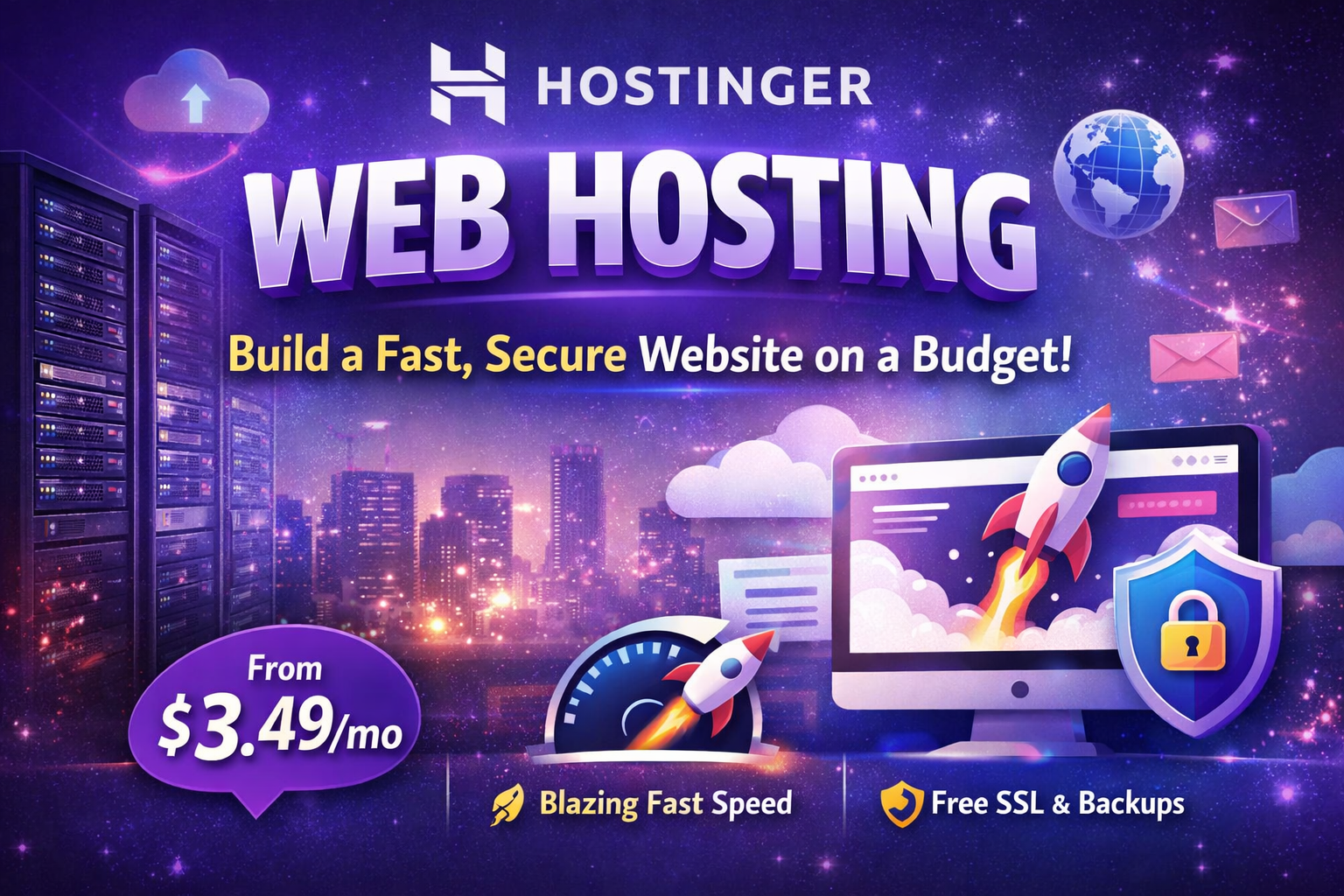
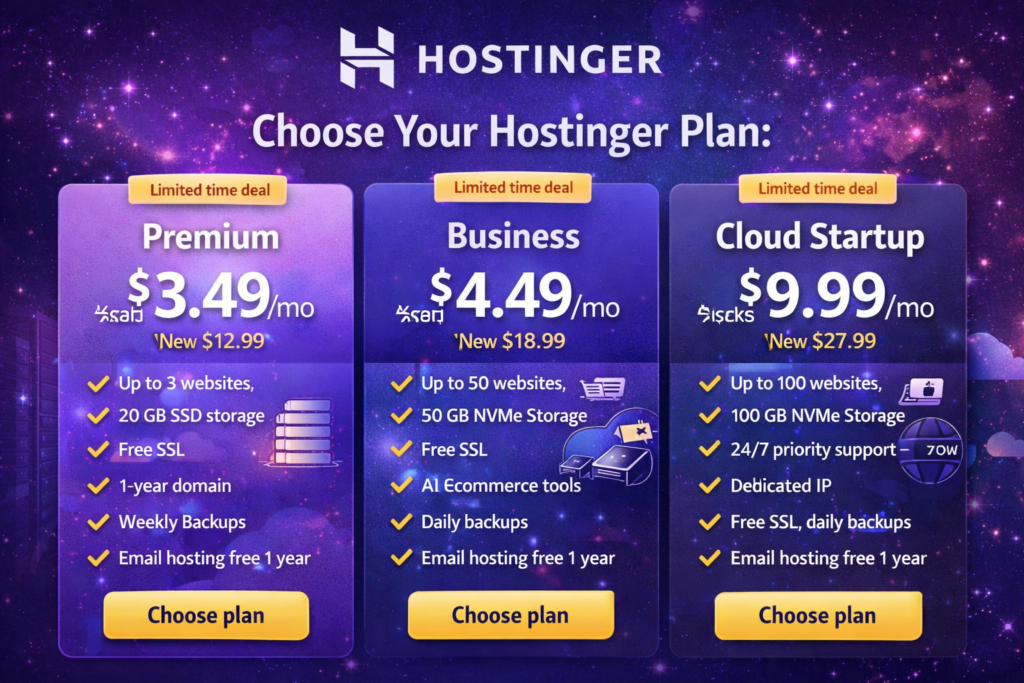
- Premium: $3.49/mo
Get 12 months for $41.88 (regular price $155.88). Renews at $10.99/mo. - Business: $4.49/mo
Get 12 months for $53.88 (regular price $227.88). Renews at $16.99/mo. - Cloud Startup: $9.99/mo
Get 12 months for $119.88 (regular price $335.88). Renews at $25.99/mo.
If you’re building your first site, that entry cost can be the difference between “I’ll do it someday” and “I’m launching this week.”
2) You Get Speed That Helps Your Website Feel Professional
Speed isn’t just a tech detail—it affects how people experience your site.
If your pages load slowly, visitors leave. If visitors leave, your conversions drop. And if your site feels clunky, your brand looks less trustworthy than it should.
Hostinger includes performance-focused features depending on the plan, including:
- SSD storage on Premium
- NVMe storage on Business and Cloud Startup (faster than traditional SSD)
- Free CDN on Business and above for improved speed worldwide
If you want a site that loads quickly and feels smooth, these features matter more than most beginners realize.
3) Free SSL Keeps Your Site Safe (and Builds Trust)
When people visit your website, you want them to feel safe immediately.
That little padlock icon in the browser? It matters.
Hostinger includes free SSL, which helps:
- Protect data (especially forms and logins)
- Build trust with visitors
- Support SEO (search engines prefer secure sites)
Even if you’re not selling anything yet, SSL is one of those “must-have from day one” features.
4) Backups Save You When Something Goes Wrong
At some point, something will break. A plugin update, a theme change, a mistake during editing—anything.
That’s why backups are not optional if you care about your site long-term.
Here’s how Hostinger handles backups:
- Premium: Weekly auto backups
- Business: Daily and on-demand backups
- Cloud Startup: Everything in Business, plus more power and stability
If you want peace of mind (especially for business sites), daily backups are a game-changer.
Hostinger vs Bluehost (2026 Comparison): Which One Is Better for Beginners?
Hostinger Web Hosting Plans Compared (Premium vs Business vs Cloud Startup)
To make your decision easy, here’s a clear breakdown.
Quick Plan Comparison Table
| Plan | Intro Price | Websites | Storage | Backups | Best For |
|---|---|---|---|---|---|
| Premium | $3.49/mo | Up to 3 | 20 GB SSD | Weekly | Beginners, personal sites |
| Business | $4.49/mo | Up to 50 | 50 GB NVMe | Daily + on-demand | Small business, ecommerce |
| Cloud Startup | $9.99/mo | Up to 100 | 100 GB NVMe | Advanced | High-traffic and scaling |
Premium Plan: Everything You Need to Get Started
Now let’s look at what each plan actually gives you.
If you want the basics done right without paying extra, the Premium plan is a strong starting point.
Premium plan highlights:
- Create up to 3 websites
- 20 GB SSD storage
- 2 mailboxes per website (free for 1 year)
- Free domain for 1 year
- Free SSL
- Weekly auto backups
- WordPress maintenance included
- Free website migration with no downtime
- Free email marketing for 1 year
- AI Website Builder
This plan is best if you’re launching:
- A personal blog
- A simple portfolio
- A small business website with low traffic
- A starter WordPress site
Business Plan: More Power for Growth
If you’re serious about growth, speed, or managing multiple websites, the Business plan is where Hostinger becomes even more impressive.
Business plan highlights:
- Create up to 50 websites
- 5 Managed Node.js web apps
- 50 GB NVMe storage
- 5 mailboxes per website (free for 1 year)
- Daily and on-demand backups
- AI ecommerce site builder
- AI Agent for WordPress
- Free CDN for better performance
- WordPress Multisite support
This plan makes sense if you’re building:
- A small business website that needs reliability
- A store or service-based site
- Multiple websites for clients or projects
- WordPress sites you want to manage easily
Cloud Startup Plan: Built for High Traffic and Bigger Projects
If your site is growing fast—or you’re launching something that needs extra stability—Cloud Startup gives you the resources to handle it.
Cloud Startup plan highlights:
- Create up to 100 websites
- 10 Managed Node.js web apps
- 100 GB NVMe storage
- 10 mailboxes per website (free for 1 year)
- Priority expert support (24/7)
- Dedicated IP address
- 100 PHP workers
- 2M inodes for file scaling
- 4 GB RAM for smooth performance
This plan is ideal if you’re expecting:
- Higher traffic
- Multiple large sites
- Ecommerce growth
- Performance-heavy WordPress builds
Hostinger Web Hosting for WordPress: A Great Match
If you’re using WordPress (or planning to), Hostinger is a solid choice because it’s built with WordPress users in mind.
Depending on your plan, you can benefit from:
- WordPress maintenance to keep things running smoothly
- AI tools to create ready-to-go WordPress sites faster
- Easier management for multiple WordPress sites (Multisite on Business)
If you want WordPress without the constant “fixing things,” Hostinger helps you stay focused on building your content and growing your site.
Email Hosting: Can You Run a Business Email Here?
Yes—and you don’t have to pay extra right away.
Hostinger includes email accounts with each plan, free for the first year:
| Plan | Mailboxes Per Website | Free for 1 Year |
|---|---|---|
| Premium | 2 | Yes |
| Business | 5 | Yes |
| Cloud Startup | 10 | Yes |
This is perfect if you want a professional email like [email protected] instead of using a personal inbox.
“Recipe” for Choosing the Right Hostinger Plan (Fun + Practical)
Here’s a quick way to decide without overthinking it.
Hosting Plan Selection Ingredients Table
| Ingredient | What It Means | Recommended Plan |
|---|---|---|
| 1–3 websites | Small setup | Premium |
| Daily backups | Extra safety | Business |
| NVMe storage | Faster load times | Business / Cloud Startup |
| Ecommerce features | Store growth | Business |
| High traffic | Scaling needs | Cloud Startup |
| Priority support | Faster help | Cloud Startup |
Directions (Simple Steps)
- Start with your number of websites
- Add speed needs (NVMe + CDN)
- Choose backup strength based on how important your site is
- Pick the plan that supports your next 12 months—not just today
FAQs About Hostinger Web Hosting
Is Hostinger web hosting good for beginners?
Yes. You get beginner-friendly tools like the AI Website Builder, plus essentials like SSL, backups, and migration support.
Does Hostinger web hosting include a free domain?
Yes, Premium and above include a free domain for 1 year.
Is Hostinger web hosting good for WordPress?
Absolutely. Hostinger supports WordPress well and includes maintenance features, plus AI-powered WordPress tools on higher plans.
Does Hostinger web hosting include backups?
Yes. Premium includes weekly backups, while Business includes daily and on-demand backups.
What is the best Hostinger web hosting plan for ecommerce?
The Business plan is the best fit for ecommerce because it includes NVMe storage, daily backups, and AI ecommerce tools.
Final Thoughts: Is Hostinger Web Hosting Worth It?
If you want hosting that feels simple, fast, and reliable—without draining your budget—Hostinger web hosting is a smart move.
You don’t need to be a developer. You don’t need to spend hours comparing confusing features. You just need a plan that matches your goals.
Quick recommendation:
- Choose Premium if you’re starting small
- Choose Business if you want speed, daily backups, and room to grow
- Choose Cloud Startup if you want performance power for serious traffic
Pick the Hostinger web hosting plan that fits your goals and start building today
Ready to launch your website the right way?
👉 check the BEST plan for you : Hostinger
And if you’re still unsure, drop a comment or message with what you’re creating (blog, business site, ecommerce, portfolio), and I’ll help you choose the best plan for your needs.
more : Hosting Setup Step by Step: The Complete Beginner Checklist for Choosing the Perfect Host 2026
hostinger web hosting, hostinger web hosting plans, hostinger hosting pricing, hostinger web hosting review, hostinger premium plan, hostinger business plan, hostinger cloud startup plan, buy hostinger hosting, best hostinger plan for beginners, hostinger free domain 1 year, hostinger free SSL.