
We’ve all been there: you find a promising link, click with anticipation, and then… nothing. You stare at a blank white screen while a tiny gray circle spins indefinitely. Five seconds pass. Your heart rate rises. You feel that sharp spark of annoyance, and before the page even flickers to life, you’ve clicked away.
As a site owner, knowing your hard work is being ignored because of a sluggish server is heartbreaking. It isn’t just about technical specs; it’s about the frustration of a lost opportunity and the anxiety of watching your bounce rate climb. You deserve a site that responds as fast as your ideas. If your infrastructure can’t keep up with your ambition, your revenue suffers. Let’s roll up our sleeves and fix your foundation.
1. Why Your Hosting is the Engine of Your SEO Strategy
In the digital world, speed is the silent currency of trust. If your server takes too long to “handshake” with a visitor’s browser, you’ve lost them before you even said hello. Search engines like Google aren’t just looking for quality content anymore; they are looking for a seamless delivery experience.
The 3-Second Rule and User Psychology
Data consistently shows that roughly 53% of mobile visits are abandoned if a page takes longer than three seconds to load. We live in an era of instant gratification. If your hosting environment is sluggish, you aren’t just annoying your users—you’re literally driving them into the arms of your competitors.
Deciphering Core Web Vitals
Google’s Core Web Vitals have turned “speed” into a measurable ranking factor. Specifically, Time to First Byte (TTFB) and Largest Contentful Paint (LCP) are heavily influenced by your hosting setup. If your server is slow to respond, your LCP score will tank, dragging your search engine rankings down with it.
2. Choosing the Right Foundation: Types of Hosting Compared
To optimize hosting, you must first ensure you aren’t trying to run a professional operation on an amateur setup. Many site owners start on bottom-tier shared plans and wonder why their site crawls. As your traffic grows, your infrastructure must evolve.
| Hosting Type | Speed Potential | Best For | Cost Level |
| Shared | Low | New blogs/Low traffic | $ |
| VPS | Medium/High | Growing businesses | $$ |
| Cloud | High/Scalable | High-traffic/E-commerce | $$$ |
| Dedicated | Elite | Enterprise-level |
If you are serious about performance, moving from shared hosting to a Virtual Private Server (VPS) or Cloud Hosting is often the single most impactful move you can make. It gives you dedicated resources (RAM and CPU) so you aren’t fighting “noisy neighbors” for server power.
3. Technical Tweaks to Optimize Hosting for Speed
Once you are on a solid platform, it’s time to fine-tune the engine. These technical adjustments often happen “under the hood” but yield massive dividends in page load times.
Update Your PHP Version
Most modern websites (especially WordPress) run on PHP. Running an outdated version like PHP 7.4 is like trying to run modern software on a 15-year-old computer. By switching to PHP 8.2 or 8.3, your server can handle significantly more requests per second. It’s a simple toggle in your hosting control panel that provides an instant, free boost.
Implement Server-Side Caching
Don’t rely solely on browser plugins. Real optimization happens at the server level:
- Object Caching (Redis/Memcached): These memory-based stores cache your database queries so the server doesn’t have to “think” every time a user clicks a post.
- Bytecode Caching (OPcache): This stores precompiled script bytecode in the server’s memory, eliminating the need for PHP to load and parse scripts on each request.
4. Location Matters: The Role of Data Centers and CDNs
Physics dictates that the further data has to travel, the longer it takes. This delay is known as latency.
The Power of Proximity
When choosing a host, always pick a data center location closest to your primary audience. If your customers are in London, don’t host your site in a data center in Singapore.
Content Delivery Networks (CDN)
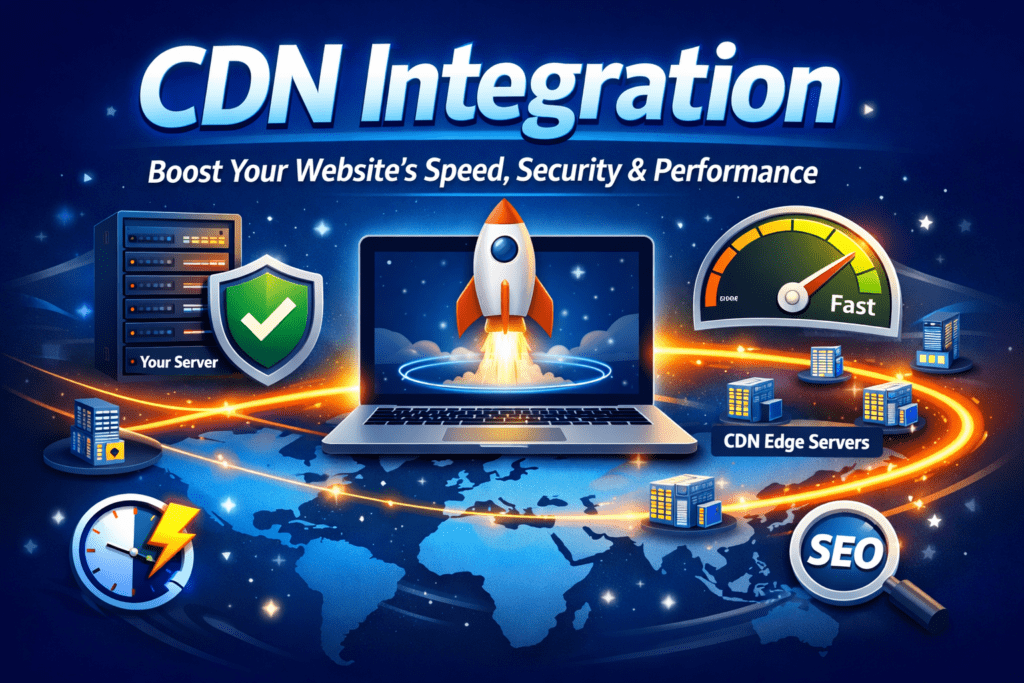
A CDN like Cloudflare or Bunny.net takes your “heavy” files (images, JS, CSS) and mirrors them on hundreds of servers across the globe. When someone visits your site, the CDN serves these files from the server physically closest to them, reducing the strain on your primary host.
5. Summary of Optimization “Ingredients”
Think of your hosting setup like a high-performance recipe. If you miss one ingredient, the result won’t be as satisfying.
| Category | “Ingredient” | Purpose |
| Infrastructure | SSD/NVMe Storage | Dramatically faster data read/write speeds than old HDDs. |
| Protocol | HTTP/3 | The latest web protocol that reduces connection “handshakes.” |
| Security | WAF (Firewall) | Keeps malicious bots from sucking up your server’s CPU. |
| Memory | 256MB+ PHP Limit | Gives your site enough “breathing room” to process complex tasks. |
6. Conclusion: The Need for Speed
At the end of the day, to optimize hosting is to invest in your brand’s future. We’ve moved past the era where a slow website was just a minor inconvenience. Today, it is a barrier to entry. By choosing the right hosting tier, updating your environment, and utilizing global delivery networks, you transform your site from a sluggish liability into a high-speed asset.
Don’t let your content wither in the shadows of a slow server. Take control of your infrastructure, respect your visitor’s time, and watch your engagement metrics soar.
7. Frequently Asked Questions (FAQ)
How do I check if my server is slow?
The best way to check is to look at your Time to First Byte (TTFB). You can use tools like GTmetrix or PageSpeed Insights. If your TTFB is over 500ms, it’s a sign you need to optimize hosting or consider a better provider.
Does a CDN actually help optimize hosting speed?
Absolutely. By offloading up to 70% of your media requests to a global network, you free up your server to handle the critical logic of your site.
Is managed hosting worth the extra cost?
For most business owners, yes. Managed hosts handle the nitty-gritty details to optimize hosting automatically—like server-level caching and security patches—allowing you to focus on your business rather than server maintenance.
Ready to Supercharge Your Site?
Don’t wait for your rankings to drop before taking action. Check your current speed metrics today. If you’re seeing red, it’s time to upgrade your infrastructure.
chose Your Hosting plan with Hostinger
see also:
Hosting Setup Step by Step: The Complete Beginner Checklist for Choosing the Perfect Host 2026